
Toolbar
The toolbar at the top centre of the map contains buttons and tools to help you interact with the map. Hover your mouse pointer over a tool to see a description of its function.
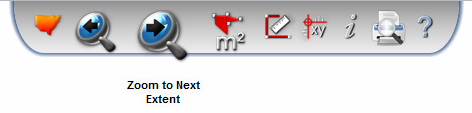
The specific tools that you see may depend on your map configuration options, but will generally include the following tools:
- Zoom to the Full Extent of New South Wales
- Return to Previous/Next map extent (akin to Back/Forward in a web browser)
- Measure an area or distance
- Find the XY Coordinates of a point on the map
- Identify a feature (see Identifying features)
- Print the map
- Read the Help documentation
Buttons work immediately when they are pressed (for example, zooming to the previous extent) while Tools require interaction before they perform an action (for example, drawing a polygon on the map to measure an area).
When a tool is active, a yellow halo is shown over its icon in the toolbar:
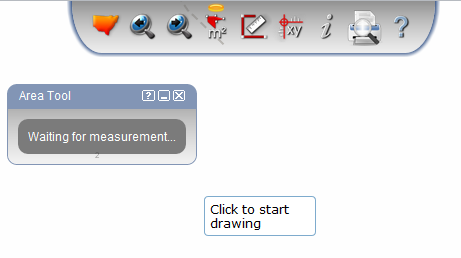
Closing a tool's dialog (using the X in the top right corner of its dialog) un-selects that tool, and returns the map to its normal state.